
Teams using Vidsembly






Presentation to Video
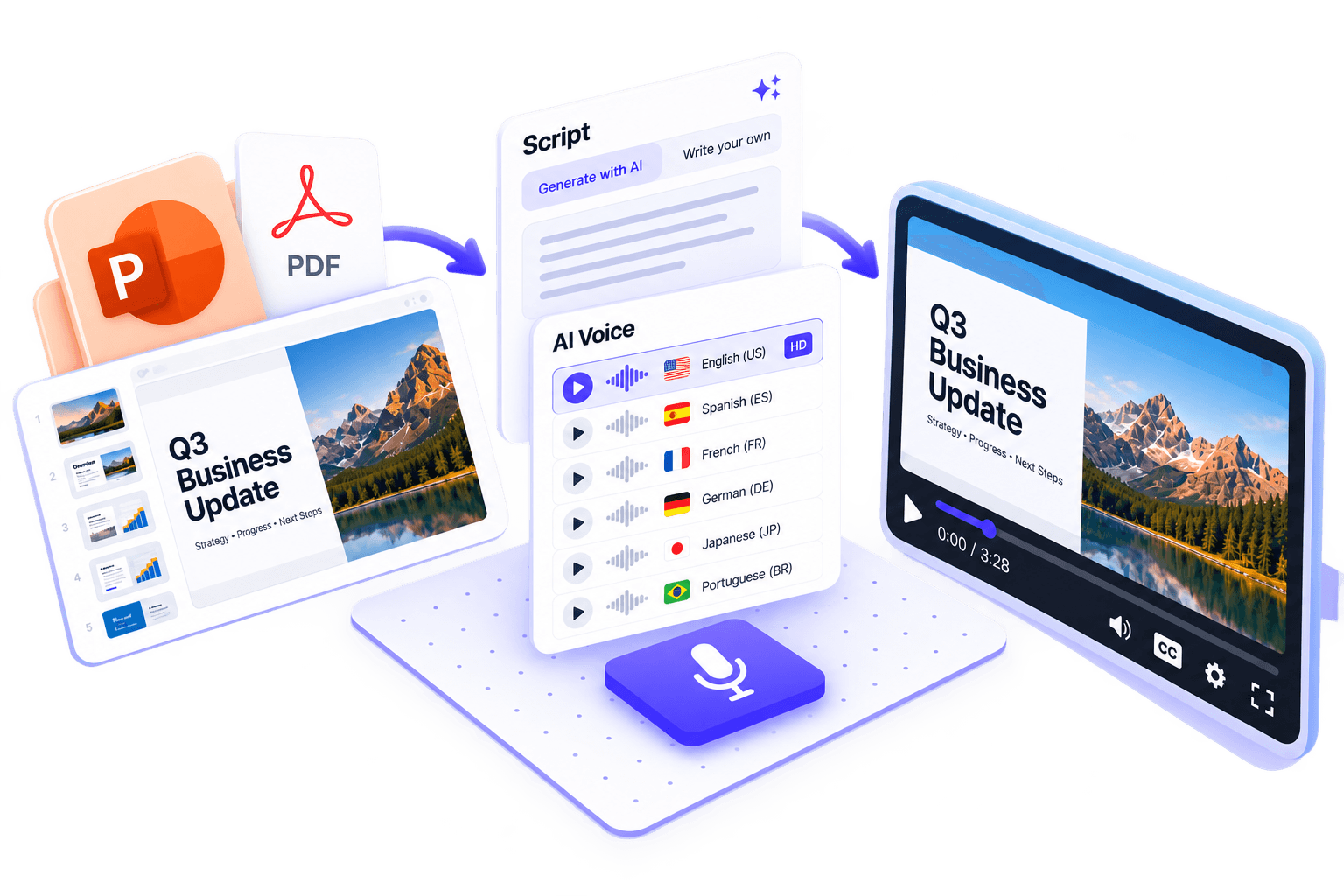
Turn slides into a fully narrated video with AI voiceover.
Turn PowerPoint or PDF decks into narrated videos using a library voice or a clone of your own. Generate a script from your slides or import speaker notes from PPTX files. No timeline editing required.
No card required · 30 free credits · Explore demo projects
Free try
Turn your slides into a narrated video
3 free projects per day · No account required · Watermarked MP4 · Up to 15 slides · Files deleted after 24 hours
Drop your deck to try free
PPTX or PDF · Up to 15 slides · 50 MB
or

Use Presentation to Video in Vidsembly
No watermark, premium voices, saved projects, and more slides.
How it works
From upload to narrated MP4 in four steps
Click a step to view it larger
“I needed a video fast, and Vidsembly delivered. Upload the deck, add a script, pick a voice. The video quality was great, and I loved the AI voice options.”
12 output languages
Narration and script translation when you create your video — library voices or your voice clone
- English
- Spanish
- Chinese
- Hindi
- German
- Italian
- Arabic
- French
- Dutch
- Japanese
- Korean
- Portuguese

Need slides first?
Use Content to Video to create them from your content.
Real example
From deck + script to narrated video
Same 3-slide PDF and narration we used in Presentation to Video — then the MP4 it produced.
Example deck
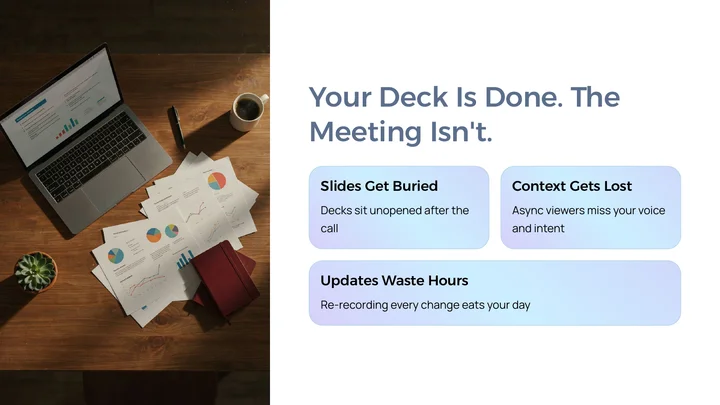
3-slide PDF
Script
Narration per slide
Slide 1
Most presentations die the moment the meeting ends. The deck gets emailed, skimmed, or ignored — and anyone who wasn’t there misses the story behind the slides. Re-recording updates every time something changes is slow, expensive, and hard to keep consistent.
Slide 2
Instead of rebuilding everything in a video editor, start from the deck you already have. Upload your PowerPoint or PDF, match a short script to each slide, and generate a clean narrated video you can send anywhere — so the same message lands whether someone’s live or catching up later.
Slide 3
The result is a short, polished video that keeps your branding and structure intact — with voiceover that explains what the slides alone can’t. Update the deck, regenerate the video, and stay consistent across training, sales follow-ups, and product demos.
Output video
Made in Presentation to Video
Same deck + script, exported as a shareable MP4 with AI voiceover — no timeline editing.
Narration voice
Hear the voices before you build
Preview standard and premium library AI voices across 12 languages and dialects. On Pro and Elite, you can also clone your own voice and use it for narration.
12 languages supported
Pick a language to preview its voices
Brian
English (United States) · Male
Ava
English (United States) · Female
Premium voices
Daniel
English (United States) · Male
Rachel
English (United States) · Female
Michael
English (United States) · Male
Sophie
English (United States) · Female
Real vs. cloned voice
Play both clips to compare the original recording with its AI voice clone.
Real voice
Original recording
Cloned voice
AI voice clone
Who this is useful for
Common teams using Presentation to Video when they already have a deck and need a narrated video people will actually watch.
Sales & enablement
Turn pitch decks into async follow-ups reps can send after demos — same messaging every time.
Used by


HR & training
Convert policy PDFs and onboarding decks into short explainers people actually finish.
Used by


Teachers & L&D
Reuse lesson slides as narrated videos for flipped classrooms, absences, and LMS modules.
Used by

Founders & consultants
Share investor updates, client deliverables, and walkthroughs without jumping on another call.
Used by

Watch the full walkthrough
Watch how Presentation to Video works in Vidsembly.
What you get
Plan features for Presentation to Video: same Free, Pro, and Elite unlocks you see in the app.
Key features
- PPTX & PDF support
- Import speaker notes from PPTX
- Multiple languages
- HD MP4 export
- AI script generation
- AI voiceovers & voice clones
- Automatic script translation
- Edit and regenerate anytime
Plans
See PlansFree
- 30 one-time credits
- PPTX, PPT & PDF upload
- Standard library AI voices
- Watermarked downloads
🚀Pro
- 300 credits/month
- No video watermark
- 720p & 1080p re-render options
- Premium voices · 3 voice clones
👑Elite
- 1200 credits/month
- Everything in Pro
- 5 voice clones
- 4K re-render export
How Vidsembly compares
Side-by-side comparisons with other tools that turn slides and PDFs into video.
Related guides
How to create online course modules without recording
Turn lesson decks into LMS-ready narrated modules — AI voice or your clone.
Best tools to create online course modules (2026)
Buyer’s guide: when to use slide narration vs Articulate, Synthesia, or Camtasia.
PowerPoint to video with AI voiceover
Step-by-step guide: upload PPT, add AI voiceover, export MP4. No recording.
Frequently asked questions
What files can I convert to video?
Upload a PPTX, PPT, or PDF file. On PPTX uploads, you can also import speaker notes as a narration starting point. Presentation to Video turns your existing deck into a professional narrated MP4 — no microphone or video editing required.
How can I add a script to my presentation?
Import speaker notes from a PPTX, have Vidsembly generate narration from your slides, or type or paste in your own script. You can review and refine the script before choosing a voice and exporting.
Who should use Presentation to Video?
Anyone who already has slides and needs a narrated video — including trainers, teachers, sales enablement, HR, and business teams.
Do I need to record my own voice?
Not for every project. Choose a library AI voice, or create a voice clone of yourself on a paid plan and reuse it for narration. Preview the voiceover, then let Vidsembly build the video — no live microphone or timeline editing required.
Can I use a clone of my own voice?
Yes. Voice cloning is available on paid plans: Pro includes 3 voice clones and Elite includes 5. Create a clone in Vidsembly, then use it in Presentation to Video, Content to Video, and AI Voice — or pick a library voice instead.
Which languages are supported?
Presentation to Video supports 12 output languages for narration and slide copy, plus regional dialects for several languages. You can preview free and premium library AI voices — or use a paid-plan voice clone (3 on Pro, 5 on Elite) — before you export.
What do I export?
You download a shareable MP4. Free exports use original resolution (matching your slides) and may include a watermark; Pro unlocks 720p/1080p re-render options and premium voices; Elite adds 4K re-render export. Voice cloning is available on paid plans: Pro includes 3 voice clones and Elite includes 5.
What if I don't have slides yet?
Use Content to Video or AI Deck Creator to generate a deck from a document or notes first, then bring that deck into Presentation to Video for narration.
Try Presentation to Video in Vidsembly
No card required · 30 free credits · Explore demo projects in the app.