
Teams using Vidsembly












AI Deck Creator
Turn content into a polished slide deck.
Paste notes, upload a document, or start blank. Vidsembly structures your material into editable slides you can export as PPTX or PDF.
No card required · 30 free credits · Explore demo projects
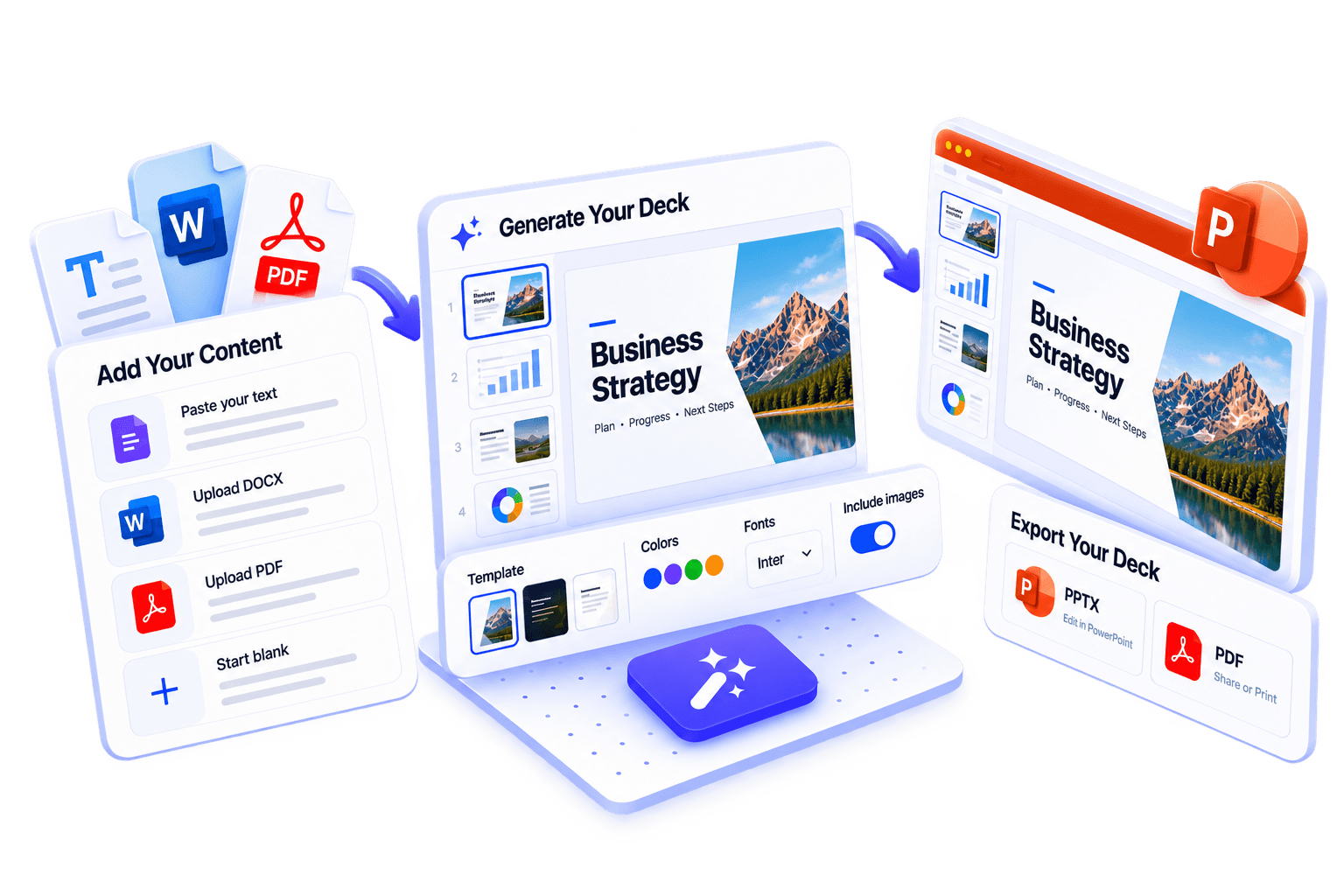
How it works
From upload to export in three steps
Click a step to view it larger
12 output languages
Choose an output language when generating your slide deck and slide copy.
- English
- Spanish
- Chinese
- Hindi
- German
- Italian
- Arabic
- French
- Dutch
- Japanese
- Korean
- Portuguese
12
Languages supported
Choose an output language when generating your slide deck and slide copy.
English · Spanish · Chinese · Hindi · German · Italian · Arabic · French · Dutch · Japanese · Korean · Portuguese
What you get
Plan features for AI Deck Creator: same Free, Pro, and Elite unlocks you see in the app.
Plans
See PlansFree
- 30 one-time credits
- Blank deck & manual editing
- Paste text or upload DOCX & PDF
- PPTX & PDF export
🚀Pro
- 300 credits/month
- AI deck generation
- Font & color themes
- PPTX & PDF export
👑Elite
- 1200 credits/month
- AI deck generation
- Font & color themes
- Priority render speed (coming soon)
Also useful for
Same workflow, tuned for common searches and formats.
Frequently asked questions
What can I turn into a slide deck?
Start from notes, documents, or a blank prompt. Paste text, upload a DOCX or PDF, or begin with a blank prompt. AI Deck Creator structures your material into editable slides.
Who should use AI Deck Creator?
Anyone who needs a slide deck fast — including students, teachers, consultants, product marketers, and founders.
Can I edit the slides after generation?
Yes. Review and edit titles, bullets, slide order, and layout before you export so the deck matches your message.
What can I export?
Download PPTX or PDF. When you want narration later, you can also send the deck to Presentation to Video.
Which languages are supported?
AI Deck Creator supports 12 output languages for deck generation and slide copy.
How is this different from Content to Video?
AI Deck Creator focuses on building an editable slide deck. Content to Video goes further by generating the deck plus narration scripts and a narrated video in one flow.
Try AI Deck Creator in Vidsembly
No card required · 30 free credits · Explore demo projects in the app.